
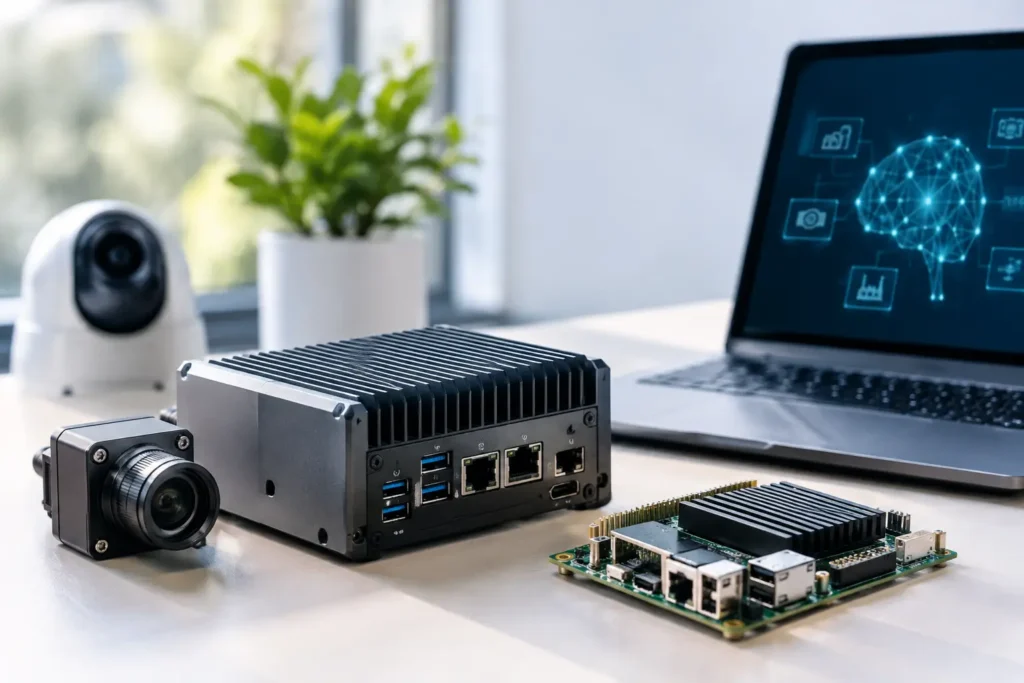
A camera that must flag a safety issue in milliseconds cannot wait for a round trip to a distant data center. A field team processing drone imagery may not have dependable connectivity at all. Those realities are driving edge AI deployment trends, and they are changing what organizations need from the computers that run AI workloads.
For many teams, the question is no longer whether AI belongs in the workflow. It is where inference should happen, how much performance is required at each location, and what has to keep working when bandwidth, power, or IT access is limited. The right answer is rarely a single off-the-shelf box.
Why Edge AI Is Moving From Pilot to Production
Edge AI means running an AI model close to the source of data rather than sending every image, video frame, audio stream, or sensor reading to the cloud for analysis. That might mean a workstation in a design lab, a compact system beside a production line, a server at a retail location, or a mobile computer used in the field.
The appeal is practical. Local inference can reduce latency, lower recurring cloud-transfer costs, preserve privacy, and keep critical processes operating during an internet outage. A security team may need live video analytics without uploading sensitive footage. A manufacturer may need visual inspection results before a product moves to the next station. A research group may need to sort instrument data while collection is still underway.
That does not mean the cloud is going away. Cloud resources remain useful for training large models, central management, long-term storage, and workloads that rise and fall sharply. The growing pattern is hybrid: train or refine models centrally, then deploy a tested version where the data is created and where decisions need to be made.
Edge AI Deployment Trends to Watch
The most meaningful trend is not simply smaller AI hardware. It is a more deliberate split between training, inference, storage, and fleet management.
Inference is becoming the primary edge workload
Training a model can require large GPU clusters, extensive memory, and days or weeks of processing. Inference is different. It uses an already-trained model to classify an image, transcribe speech, detect an object, or predict a condition. It can be much lighter, but lighter does not automatically mean simple.
A model that analyzes one still image every few minutes has very different requirements than a system processing eight high-resolution video feeds at 30 frames per second. Teams should size hardware around the actual input rate, model type, desired response time, and expected number of simultaneous streams. Buying based on a processor label alone is a reliable way to create a bottleneck somewhere else.
Video, vision, and sensor fusion are raising local compute needs
Computer vision remains one of the strongest edge AI use cases because raw video is expensive to transmit and often needs immediate action. But modern deployments increasingly combine video with other data: lidar, thermal cameras, GPS, machine telemetry, audio, or environmental sensors.
That combination can place pressure on more than the GPU. Storage must handle continuous writes. Network adapters need enough bandwidth for multiple cameras or sensors. The CPU must manage data ingestion and preprocessing without starving the inference engine. For some workflows, a fast local NVMe scratch volume matters as much as accelerator performance.
Efficient models are expanding deployment options
Model optimization is making AI practical in places that could not support a full workstation or rack server. Quantization, pruning, batching, and specialized inference runtimes can reduce memory use and improve throughput. A compact system may deliver excellent results when the model and runtime are designed for its hardware.
There is a trade-off. Aggressive optimization can affect accuracy, compatibility, or the ability to update models later. It is worth validating the actual model on the actual target hardware before committing to dozens or hundreds of systems. A benchmark from a different application, model version, or video resolution does not answer the deployment question.
Security and data control are becoming design requirements
Edge AI can reduce exposure by keeping sensitive source data local, but it also distributes computing resources across more locations. Each deployed system needs a plan for account control, operating system updates, physical security, encrypted storage, remote access, and model version management.
Government, education, healthcare, and regulated business environments may also have procurement or compliance requirements that affect component selection. Hardware availability, approved manufacturers, operating system policies, and support expectations should be addressed before deployment instead of after systems are already installed.
Reliability is getting the attention it deserves
A proof of concept may run on a desktop under a developer’s desk. Production edge AI often runs in a warehouse, lab, vehicle, field office, control room, or remote site. Those environments introduce heat, dust, vibration, limited power, and limited hands-on support.
The practical question is not just whether a system can run a model. It is whether it can run that model for months, recover cleanly after a restart, retain its data when a connection drops, and be serviced without turning a small failure into a long outage. Purpose-built systems, validated cooling, appropriate power protection, and a documented replacement plan are part of AI infrastructure, not extras.
How to Size an Edge AI System Without Guessing
Start with the work, not the hardware category. Before choosing a mini PC, workstation, server, or embedded platform, document what the system must receive, process, store, and send back out.
A useful planning conversation should cover at least these four areas:
- Input: How many cameras, sensors, users, or data sources will be active at once? What resolution, frame rate, file size, and connection type are involved?
- Inference target: Which model and framework will run, and what response time, accuracy, and throughput does the application require?
- Data handling: Is raw data retained locally, uploaded, discarded after analysis, or copied to a NAS or central server?
- Operating environment: Will the system live in a quiet office, equipment room, mobile platform, shop floor, or remote site with limited connectivity?
Those answers determine the balance of CPU cores, GPU or AI accelerator capability, system memory, local storage, network connectivity, cooling, and power supply. They also reveal when one machine is trying to do too many jobs.
For example, a small video analytics site may work well with a compact GPU-equipped system and local SSD storage for short-term buffering. A multi-camera deployment may need a more expandable workstation or rack server with higher network capacity, additional drives, and room for a second accelerator. A research workflow might require a separate high-performance system for model development and a simpler, standardized device for field inference.
Do Not Overlook Storage and Networking
AI discussions often focus on GPUs, but edge deployments fail just as often at the data layer. A system can have enough inference performance and still struggle because its storage cannot keep up with video writes, its network port is saturated, or its backup process interrupts production work.
Retention requirements matter. If video is analyzed locally but retained for seven days, calculate the storage needed at the intended resolution and bitrate, then leave room for operating system overhead, model files, logs, and future growth. If data must be protected, consider whether the location needs RAID, a local backup target, scheduled replication, or a central NAS.
Networking deserves the same attention. Multiple high-resolution cameras may require 2.5GbE, 10GbE, or dedicated network segments. Remote monitoring, software updates, and result uploads should be planned around the connection actually available at the site, not the connection someone hopes to install later.
Standardize What You Can, Customize What You Must
Organizations deploying edge AI at multiple locations face a tension between standardization and flexibility. A single approved configuration simplifies imaging, support, spare parts, documentation, and security management. But forcing every site into the same hardware can be wasteful if one location handles four video feeds and another handles 40.
A good approach is to define a small number of validated system tiers. For instance, a compact inference tier, an expandable multi-stream tier, and a higher-capacity server tier may cover most needs. Each tier should use known-compatible components and be tested with the intended application stack.
Customization still matters at the edges of that standard. Some sites may need more local storage, dual network ports, a specific capture card, quieter cooling, a rackmount chassis, or compliance-driven component choices. The goal is controlled variation, not a different one-off build at every location.
Build for Support, Not Just Day One
Edge AI projects are often evaluated on model accuracy, but day-two operations determine whether they remain useful. Who applies updates? Who checks drive health? How are failed components replaced? What happens when a model update needs more memory or a new runtime no longer supports the original accelerator?
These are not reasons to delay a deployment. They are reasons to design it carefully. Keep a record of the tested software versions, hardware configuration, BIOS settings, drivers, and recovery process. Where uptime matters, keep an appropriate spare system or critical spare components. Validate remote management before a device is installed somewhere difficult to reach.
For organizations that need help translating an AI application into dependable hardware, Sandia Computers can start with the model, data flow, environment, and support needs rather than a generic parts list. The result should be a system that fits the deployment and a team that can explain why each choice was made.
The strongest edge AI deployments do not begin with the fastest advertised GPU. They begin with a clear picture of the decision that must happen locally, the data required to make it, and the conditions the system must survive. Get those details right first, and the hardware decision becomes far more manageable.