
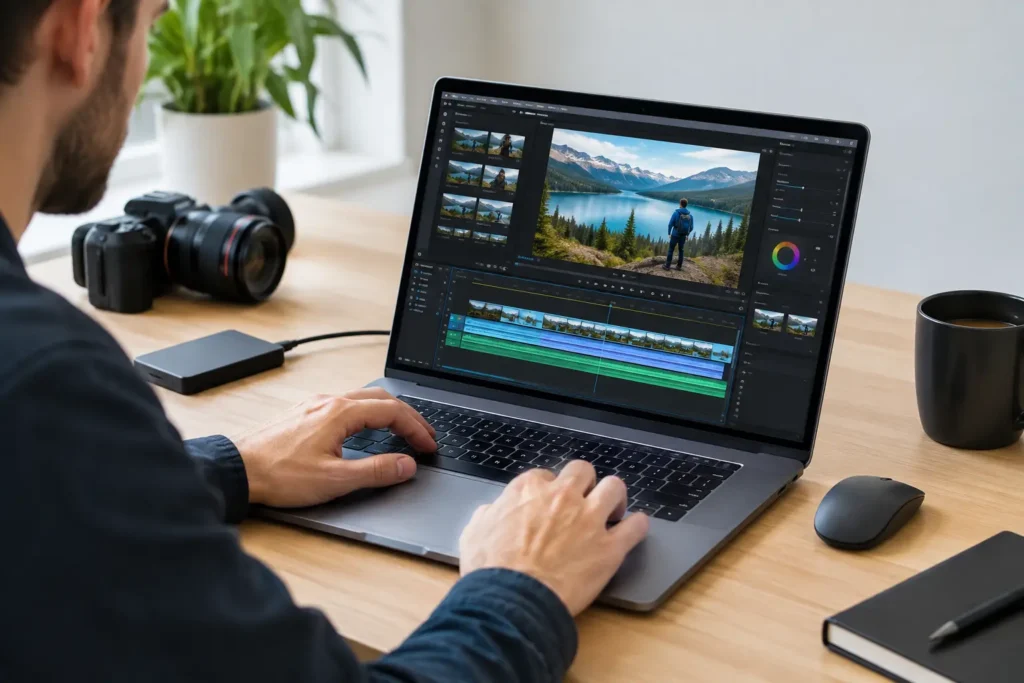
A timeline that stutters every time an editor trims a multicamera interview is not just frustrating. It slows approvals, invites mistakes, and turns a capable creative team into a group waiting on a progress bar. The right way to optimize proxy workflows is to treat proxies as part of the entire post-production system, not as a quick fix applied after playback becomes unbearable.
Proxy files are lighter versions of original camera media. Your editing application uses them for responsive playback and editing while preserving the relationship to the full-resolution source files for final color, effects, and export. When the process is planned well, editors can work comfortably with high-bitrate 4K, 6K, 8K, RAW, HDR, and multicamera footage without giving up image quality in the finished project.
Start With the Bottleneck, Not the Proxy Preset
A proxy workflow can solve a decoding problem, but it cannot solve every performance problem. Before changing settings, identify what is actually slowing the work down. Highly compressed source formats such as H.264, H.265, and many long-GOP camera codecs can be difficult to decode in real time, especially with multiple streams, color corrections, effects, or dynamic links in the timeline.
But storage, memory, GPU performance, and network access can create similar symptoms. If media is stored on a slow external drive, generating smaller proxy files may help playback while leaving import, cache, and relinking delays untouched. If an editor is working from shared storage over an underbuilt network, the issue may be bandwidth or network configuration rather than the proxy codec.
This is why the best workflow begins with a simple test: play representative footage in the actual editing application at the expected timeline settings. Include the real number of camera angles, common effects, and any color work the project requires. A short test with real media is more useful than a component specification sheet or a codec recommendation copied from a different production.
Choose a Proxy Format Built for Editing
The goal of a proxy is not to make the smallest file possible. The goal is to make a file that edits easily and looks clear enough for confident decisions. Extremely compressed proxy formats can reduce storage use, but they may place more decoding work back on the CPU or GPU. That defeats the point.
For many professional workflows, intraframe editing codecs are the practical choice. Each frame is stored independently, which makes scrubbing, trimming, and multicamera playback more responsive. Common choices include Apple ProRes Proxy, ProRes LT, and Avid DNxHR LB. The best option depends on the editing application, operating system, camera source, and the needs of the team.
Resolution deserves the same practical thinking. Half-resolution proxies can be appropriate for 4K projects where detail matters during review. Quarter-resolution files are often sufficient for 6K or 8K source footage, especially for offline editorial. For effects-heavy productions, proxy resolution should still be high enough to judge framing, motion, graphics placement, and focus well enough to make sound editorial choices.
Do not use a one-size-fits-all preset simply because it worked on the last job. A talking-head corporate shoot, a fast-cut live-event recap, and a VFX-heavy commercial have different demands. Proxy settings should reflect the material and the decisions editors need to make.
Keep frame rate, audio, and timecode intact
A proxy should match the source clip’s frame rate and maintain reliable timecode. Those details protect synchronization during multicamera editing, audio finishing, conform, and online. Audio should remain available for editorial, even when high-quality production audio is stored separately.
Changing frame rates or creating proxies without dependable clip relationships can cause subtle problems that do not appear until the deadline is close. The files may play smoothly, but clips can drift, relink incorrectly, or create confusion when a project moves between systems.
Organize Media Before You Create Proxies
Many proxy headaches are really media-management problems. If source cards are copied into vague folders, renamed inconsistently, or spread across personal drives, the project becomes difficult to move and harder to recover. A clean structure is faster than trying to repair a disorganized project later.
Keep original camera media protected in a dedicated location and use verified copies before formatting cards. Store proxy files separately from originals, but in a predictable folder structure that clearly identifies the project, shoot day, camera, and proxy preset. Keep project files, audio, graphics, cache, and exports organized according to the team’s standard rather than whatever location happened to be available during ingest.
For teams working from shared storage, decide who is responsible for ingest, proxy generation, project backups, and permission management. Editors should not have to guess which folder contains the current proxy set or whether a producer has moved source media to make space.
A practical naming convention also prevents avoidable confusion. Include the project name, media type, and date where useful, but avoid renaming files in ways that break the editing application’s ability to identify the original source. Consistency matters more than complexity.
Build the System Around the Real Editing Day
A good proxy workflow depends on the workstation as much as the files. Generating proxies, editing multicamera material, building cache files, running effects, and exporting deliverables can all compete for CPU cores, GPU resources, memory, and disk access. A system that handles a single 4K clip may still struggle when the same editor opens a real project with hundreds of clips and several applications running.
Separate storage roles where the workload justifies it. Fast internal or direct-attached SSD storage is often a strong location for active project files, cache, and proxy media. Original footage may live on larger local storage or on properly configured shared storage. Long-term archives belong on capacity-focused storage with a documented backup plan, not on the same drive used for active editing.
There is no universal drive layout. A solo editor cutting short social content may work well with a fast workstation and a carefully managed external SSD. A studio sharing high-resolution footage across several edit bays may need a NAS, high-speed networking, access controls, and enough aggregate performance for multiple users. The right answer depends on footage volume, concurrent users, retention requirements, and recovery expectations.
Memory capacity is easy to overlook. Proxy workflows reduce decode pressure, but editing applications still need memory for timelines, thumbnails, audio waveforms, caching, linked applications, and the operating system. GPU needs also vary widely. A lightweight proxy timeline may be easy to play, while color grading, noise reduction, 3D titles, and AI-assisted effects can quickly change the hardware requirement.
At Sandia Computers, that distinction is central to system design: the best configuration starts with the actual software, footage, storage, and delivery requirements, not a generic parts list.
Make Proxy Creation Predictable
Waiting until an editor reports poor playback is the expensive way to create proxies. For recurring productions, build proxy generation into ingest. As soon as verified camera copies are complete, create proxies using a tested preset and check a sample in the editing application before the whole project is handed off.
Automation can help, but only after the preset has been validated. Watch-folder workflows and ingest tools can save time for organizations processing frequent shoots. They can also produce thousands of unusable files if the wrong audio mapping, frame rate, color interpretation, or destination folder is selected. Test with representative footage from each camera model, particularly when working with mixed cameras or log and RAW formats.
Keep the proxy preset documented. Editors, assistants, producers, and IT staff should be able to answer basic questions quickly: where proxies are stored, how they are named, which codec and resolution were used, and how the project reconnects to originals. That documentation is especially valuable when a freelancer joins a project or a job returns months later for revisions.
Verify the Switch Back to Originals
Proxies protect the editing experience, but the final output depends on the original media. Before color, finishing, and final export, confirm that the application is using full-resolution source files. Do not assume a proxy toggle is set correctly because the project looks normal on screen.
Check several clips from different cameras, including clips with speed changes, effects, stabilization, and nested sequences. Confirm that source media is online, timecode is correct, and the color pipeline behaves as expected. If the production uses RAW controls, camera metadata, or external audio, verify those elements in the finishing workflow as well.
This is also the right time to test a short final export. Look for unexpected resolution limits, proxy watermarks, missing audio channels, color shifts, or relink errors. A two-minute test export can prevent a long overnight export from becoming a next-morning surprise.
Archive the Project Without Keeping Every Temporary File Forever
At project close, retain what is needed to reopen and revise the job: project files, original media, final deliverables, graphics, audio, relevant documentation, and any assets that cannot be recreated. Proxy media may be worth keeping for projects likely to return for quick revisions, but it is often safe to regenerate if the originals and settings are preserved.
Cache files and previews are usually temporary, although there are exceptions when rendering time is substantial or a specific review version must be retained. The key is to make the decision deliberately rather than treating every generated file as permanent or deleting files without confirming recovery options.
The best proxy workflow is the one your team can repeat under deadline pressure. When file organization, proxy settings, workstation performance, and finishing checks all support the same process, editing becomes less about fighting the system and more about making the work better.