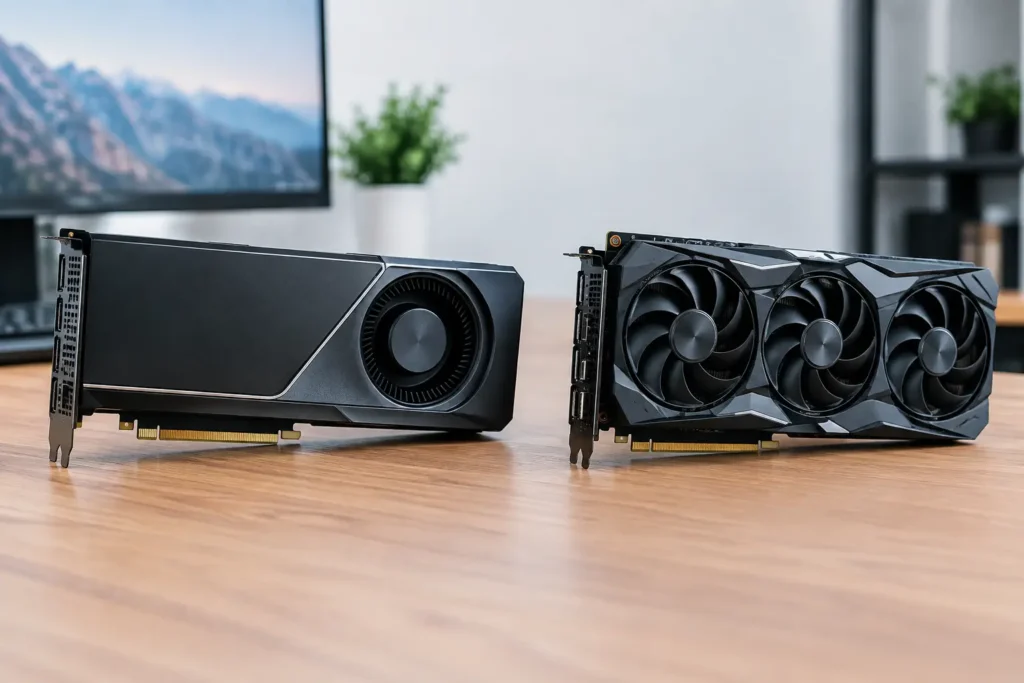
A dropped frame during a client review, a failed overnight render, or a CAD viewport that slows to a crawl can cost far more than the difference between two graphics cards. That is why the question of workstation GPUs versus gaming GPUs is not really about which card has the biggest number on the box. It is about selecting hardware that keeps your software, files, deadlines, and team moving.
Gaming cards can deliver exceptional raw performance, often at a lower price. Workstation cards bring a different set of priorities: certified drivers, larger error-protected memory options, specialized display support, and validation for professional applications. Either can be the right choice. The right answer depends on the work you need the system to complete.
Workstation GPUs Versus Gaming GPUs: The Core Difference
Gaming GPUs are designed to render interactive graphics quickly. Their primary job is to deliver high frame rates in games, usually at high resolutions with advanced lighting effects. That focus has made modern gaming cards extremely capable for many professional workloads, including video editing, GPU rendering, image processing, and some AI tasks.
Workstation GPUs are built for professional software environments where predictable behavior matters as much as peak speed. They are commonly used in CAD, engineering, architecture, product design, scientific visualization, GIS, medical imaging, simulation, and enterprise 3D workflows. Their value is not simply that they are “more powerful.” In many cases, a gaming GPU can be faster in a benchmark. The difference is in how the card is supported, validated, and equipped for demanding production environments.
A workstation GPU may use related architecture to a gaming model, but it is paired with drivers and features intended for professional applications. Those details can be the difference between a system that looks good on paper and one that stays dependable under real project pressure.
Drivers Are Often the Deciding Factor
A graphics driver is the software layer that allows applications to use the GPU. For a casual user, it is easy to overlook. For a professional relying on a particular version of SOLIDWORKS, Autodesk software, Adobe applications, Dassault tools, or specialized visualization software, it can be central to the buying decision.
Workstation GPUs typically use professional drivers that are tested and certified with specific applications and releases. Certification does not mean a gaming GPU will fail to run that software. It means the workstation configuration has gone through a formal validation process intended to reduce display errors, viewport glitches, crashes, and unexpected behavior.
That matters most where a problem has real consequences. An architect presenting a large model, an engineer reviewing a complex assembly, or a GIS team working with critical spatial data may not have time to troubleshoot a driver issue before a deadline. In those cases, the workstation card is often an insurance policy for compatibility and accountability.
For many video editors, photographers, and independent 3D artists, gaming GPUs can work very well because their applications are broadly optimized for consumer hardware. The decision still needs to account for codec acceleration, GPU memory capacity, display requirements, plug-ins, project size, and the rest of the workstation configuration.
Memory Capacity Changes What You Can Work On
GPU memory, commonly called VRAM, holds the textures, geometry, frames, models, and data the graphics card needs to process. When a workload exceeds available VRAM, performance can fall sharply. In some applications, the task may not run at all.
This is why the fastest GPU is not always the best GPU. A card with less memory may lead in a short rendering test, yet become a poor fit for a large scene, an 8K video timeline, a high-resolution photogrammetry project, or a local AI model that cannot fit comfortably in memory.
Workstation GPUs are often available with larger VRAM capacities than their gaming counterparts. Some also offer ECC memory, which can detect and correct certain memory errors. ECC is especially relevant for long simulations, scientific computing, engineering analysis, and other work where a silent calculation error is unacceptable. It is usually not necessary for everyday photo editing or a short-form video workflow.
The practical question is simple: how large are your real projects, and how much room do you need before you reach the limit? Buying only enough VRAM for today’s average project can create an expensive bottleneck when larger client files arrive six months later.
Where Gaming GPUs Make Excellent Business Sense
A gaming GPU is not a compromise by default. For the right workflow, it can offer outstanding value and very strong acceleration. Video editors working in Adobe Premiere Pro, DaVinci Resolve, or similar applications may benefit from a high-performance gaming card, particularly when paired with the correct CPU, fast storage, and sufficient system memory.
Gaming GPUs are also popular for GPU rendering, motion graphics, real-time visualization, livestream production, and AI development. A developer training or testing models locally may prioritize CUDA performance and VRAM capacity over application certification. A 3D artist using rendering tools that favor consumer GPU performance may see more rendered frames per dollar from a gaming-class card.
This option is especially compelling when the system has a focused purpose. A dedicated editing workstation, render node, or AI development machine does not need every enterprise feature if its software performs reliably on the chosen card.
The key is not to assume that gaming performance translates directly to professional performance. A card that excels at 4K games may still be the wrong choice for a large CAD assembly, a multi-display control room, or a simulation workload that requires certified drivers and high-capacity ECC memory.
When a Workstation GPU Is Worth the Investment
A workstation GPU earns its place when reliability, certification, memory capacity, and professional workflow support are more valuable than the lowest initial cost. It is often the better fit for engineers, architects, CAD and CAM users, GIS professionals, researchers, and technical departments supporting specialized applications.
It can also make sense in managed business, government, and education environments. Organizations may need a consistent hardware standard across multiple users, documented compatibility, long product availability, or configuration choices that meet procurement and compliance requirements. These needs are difficult to capture in a simple price-to-performance chart.
Consider a workstation GPU when your work includes any of the following:
Certified CAD, engineering, simulation, GIS, or visualization applications where driver stability is a priority.Large datasets, assemblies, scenes, or AI models that require substantial VRAM.Scientific, research, or mission-critical workloads where ECC memory and calculation confidence matter.Multi-user environments where IT teams need standardization, predictable support, and repeatable configurations.
None of these points means every professional needs a workstation card. It means the cost should be measured against the impact of lost time, failed output, and support interruptions.
Do Not Choose the GPU in Isolation
A graphics card cannot compensate for an unbalanced workstation. Video editing may depend heavily on CPU core count, media cache storage, RAM, and the codec used by your camera. 3D rendering can be GPU-bound, but the CPU still affects scene preparation, simulation, and general responsiveness. CAD performance may depend more on single-core CPU speed and driver behavior than maximum GPU horsepower.
Storage is another frequent issue. A high-end GPU will not make a system feel fast if active project files are sitting on a slow drive or if a large video project has no dedicated cache and scratch storage. Likewise, an AI system needs enough system memory, cooling, power delivery, and PCIe expansion to support the GPU properly.
This is why comparisons based on a single specification are incomplete. The better approach starts with the applications you run, the size of your typical and largest files, the resolutions you deliver, the number of displays you use, and the time you can afford to lose when a system misbehaves.
A Practical Way to Decide
Start with your software vendor’s published GPU requirements, then look beyond the minimum. Minimum requirements get an application running; they do not necessarily support efficient work on real projects. Identify whether your application recommends certified drivers, whether it relies on specific acceleration technologies, and how much VRAM it uses with your largest files.
Next, separate performance needs from reliability needs. If you edit video, render motion graphics, develop AI models, or create content in software that performs well on consumer hardware, a gaming GPU may provide the strongest value. If your workflow depends on certified CAD software, complex technical visualization, error-sensitive computation, or managed deployment, a workstation GPU may prevent problems that are far more costly than the card itself.
Finally, plan for the workload you expect to have, not only the workload sitting on your desk today. A system should leave reasonable headroom for larger projects, new software features, additional displays, and business growth.
The best graphics card is the one that supports your actual work without creating a new bottleneck or a new support problem. At Sandia Computers, that recommendation starts with your software and workflow, then builds outward to a tested system that is ready to earn its place on your desk.
