
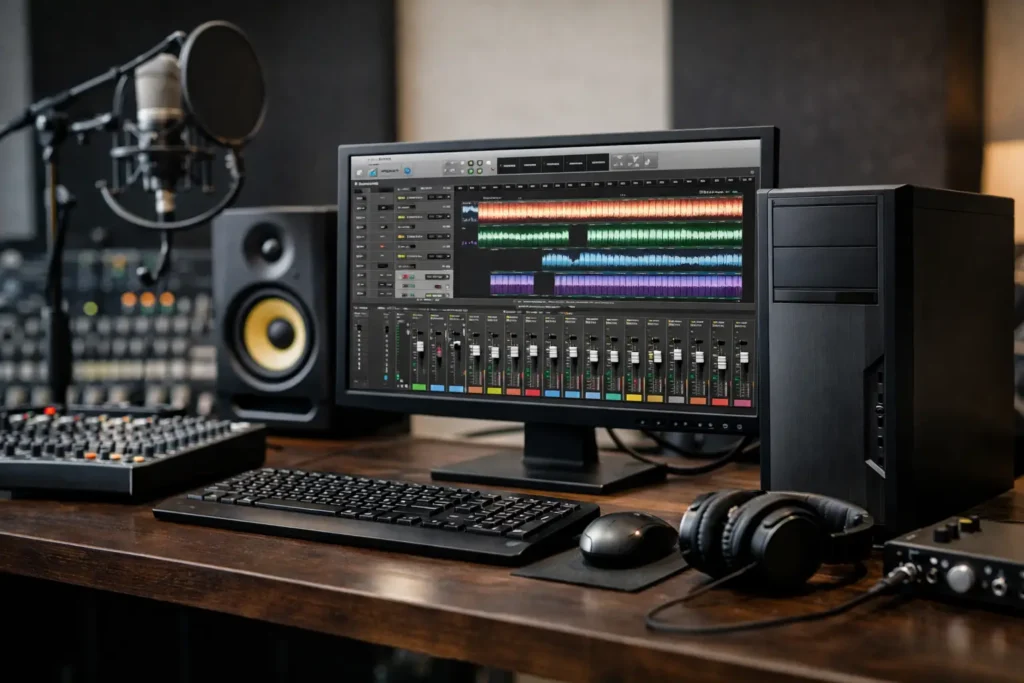
A recording session is not the time to learn that a computer cannot keep up. When a vocalist is ready, a client is listening, and a mix is loaded with virtual instruments and processing, your PC for audio production studios needs to respond without clicks, dropouts, long pauses, or excuses. The right system is not simply the one with the biggest advertised specifications. It is the one designed around the way your studio actually works.
For some engineers, that means tracking a live band at low latency. For others, it means mixing large sessions with hundreds of tracks, running demanding sample libraries, composing to picture, or producing podcasts and voiceovers all day. Those workflows put pressure on different parts of the computer. No guessing is needed when the system is matched to the work before it is built.
Start With Your Audio Workflow
The first question is not, “Which processor is best?” It is, “What happens in your busiest session?” Your digital audio workstation, or DAW, is central to that answer. Pro Tools, Logic Pro for Windows alternatives, Cubase, Ableton Live, Studio One, Reaper, FL Studio, Nuendo, and other platforms can all benefit from a fast system, but the demands change based on how you use them.
A singer-songwriter recording a few tracks at a time has different needs than a commercial studio running multiple input channels, cue mixes, amp simulators, and real-time effects. A composer working with orchestral libraries may place more demand on memory and fast storage than on low-latency recording. A post-production room may need room for video playback, surround sessions, and large project archives.
Before selecting hardware, define the practical details: typical and peak track counts, the number of simultaneous recording inputs, your usual plug-in chain, virtual instrument libraries, sample sizes, audio interface, display setup, and how long projects must remain accessible. Those answers create a useful system plan. A generic recommendation rarely does.
Processor Speed Matters More Than Marketing Labels
The processor is the working engine of an audio workstation. During recording, it must process incoming audio and plug-ins fast enough to meet a very small buffer setting. During mixing and mastering, it needs enough total processing capacity to handle many tracks and effects at once.
That is why both high clock speeds and sufficient core counts matter. Faster individual cores often help with low-latency performance and certain plug-in workloads. More cores help distribute processing across larger sessions, virtual instruments, offline bounces, and other background tasks. The correct balance depends on your DAW, plug-ins, and session style.
Buying the highest core-count processor available is not automatically the right move. If your work is mostly small tracking sessions at very low buffer sizes, a processor with stronger per-core performance may serve you better than a workstation chip built primarily for heavily parallel workloads. On the other hand, a studio that mixes dense projects, hosts many software instruments, or handles audio alongside video can benefit from additional cores.
A purpose-built system should also be tested for stable sustained performance. Audio work can run for hours. A computer that performs well for a short benchmark but throttles under continuous load is not a dependable studio tool.
Memory Keeps Large Sessions Moving
Memory, or RAM, is where active sessions, plug-ins, and loaded sample data live while you work. Not enough memory can lead to slow project loading, system paging, unstable performance, and interruptions that pull attention away from the session.
For straightforward recording, editing, and mixing, 32GB is often a sensible starting point. It gives a modern DAW room to operate alongside the operating system, plug-ins, and normal studio applications. Studios that use large orchestral templates, multiple memory-heavy instruments, sound design tools, or video playback often need 64GB or more.
More memory is useful only when the workflow calls for it. If your sessions are primarily spoken-word production, music tracking, or moderate mixes, putting every dollar into RAM while undersizing the processor or storage may not improve the experience. A balanced configuration is what keeps the entire system working well.
Fast, Organized Storage Is Part of the Studio
Audio files may be smaller than high-resolution video, but session folders grow quickly. Multitrack recordings, alternate takes, sound libraries, stems, backups, and revisions need storage that is fast enough for active work and organized enough to protect valuable projects.
A practical studio workstation usually separates the operating system and applications from active sessions. A fast solid-state drive for Windows, the DAW, and plug-ins helps the computer start quickly and keeps the software responsive. A separate fast SSD for current projects and sample libraries reduces competition for drive activity when recording or loading instruments.
Long-term storage deserves its own plan. Older projects, raw recordings, client deliverables, and backups should not live only on the same drive as active work. Depending on the studio, that may mean internal high-capacity storage, an external backup device, or a dedicated network storage system for shared access and protection.
The key point is simple: storage capacity is not the same as a backup strategy. A failed drive, accidental deletion, ransomware event, or mistaken overwrite can turn a successful session into a serious business problem. Studios should keep more than one copy of important work, with at least one copy separated from the primary workstation.
Audio Interfaces Need Stable Connectivity
Your computer and audio interface must work together reliably. USB, Thunderbolt, PCIe, and networked audio setups all have valid uses, but each has compatibility considerations. The interface driver, motherboard chipset, ports, power behavior, and operating system version can affect stability.
This is one reason a studio PC should not be selected by checking only a processor and memory specification. A motherboard with the right connectivity, expansion options, and proven compatibility can prevent expensive frustration later. If you use a PCIe DSP card, multiple interfaces, external control surfaces, high-speed storage, or a particular Thunderbolt interface, those details should be addressed before the system is assembled.
Avoid assuming that more ports always means better compatibility. What matters is whether the ports and expansion paths support the equipment you use now and the equipment you expect to add. A carefully planned workstation leaves room to grow without forcing a replacement after one upgrade.
Graphics Matter, but Usually Not in the Same Way
Most audio production systems do not need an extreme graphics card just to run a DAW. Modern processors and entry-level professional graphics options can easily support one or more displays, mixer views, plug-in windows, score editors, and normal video playback.
The requirement changes if your studio also edits music videos, produces content for clients, scores film, runs visualizers, or works with high-resolution video inside post-production applications. In that case, the graphics system should be sized for those workloads rather than treated as an afterthought.
A larger graphics card can also add heat, power draw, and fan noise. For a quiet control room, the best choice may be a capable but efficient GPU instead of the largest model available. Silence is not cosmetic in audio production. It helps engineers make better decisions and keeps microphones from capturing unwanted computer noise.
Quiet Cooling and Reliable Power Protect the Session
Audio workstations need to stay cool, but cooling should not sound like a small vacuum cleaner beside the console. Quality case fans, appropriate CPU cooling, thoughtful airflow, and a properly sized power supply all contribute to stable, quieter operation.
A system built for audio should be considered as a complete machine. Fast components placed in a poorly ventilated case can create unnecessary fan noise and heat. An undersized or low-quality power supply can become a reliability risk. The goal is sustained performance with acoustic behavior that fits the room.
This is also where professional assembly and testing make a difference. Sandia Computers builds and validates systems around real workflows, then remains available with US-based lifetime support when questions arise after delivery. That accountability matters when the workstation supports client sessions, deadlines, and income.
Choosing a PC for Audio Production Studios Without Guesswork
The best PC for audio production studios is not defined by one part number. It is defined by the relationship between your DAW, recording method, session size, plug-ins, interface, storage plan, and future growth. A studio tracking live musicians may prioritize low-latency processing and quiet operation. A composer may prioritize memory and fast sample storage. A post-production team may need stronger graphics, more displays, and shared storage.
Start with the session that challenges your current computer most. Describe what is open, what is connected, what slows down, and what cannot fail. That conversation produces a clearer recommendation than a shopping cart full of unrelated components. Your studio should have a system that stays out of the way, so the work and the people in the room can remain the focus.