
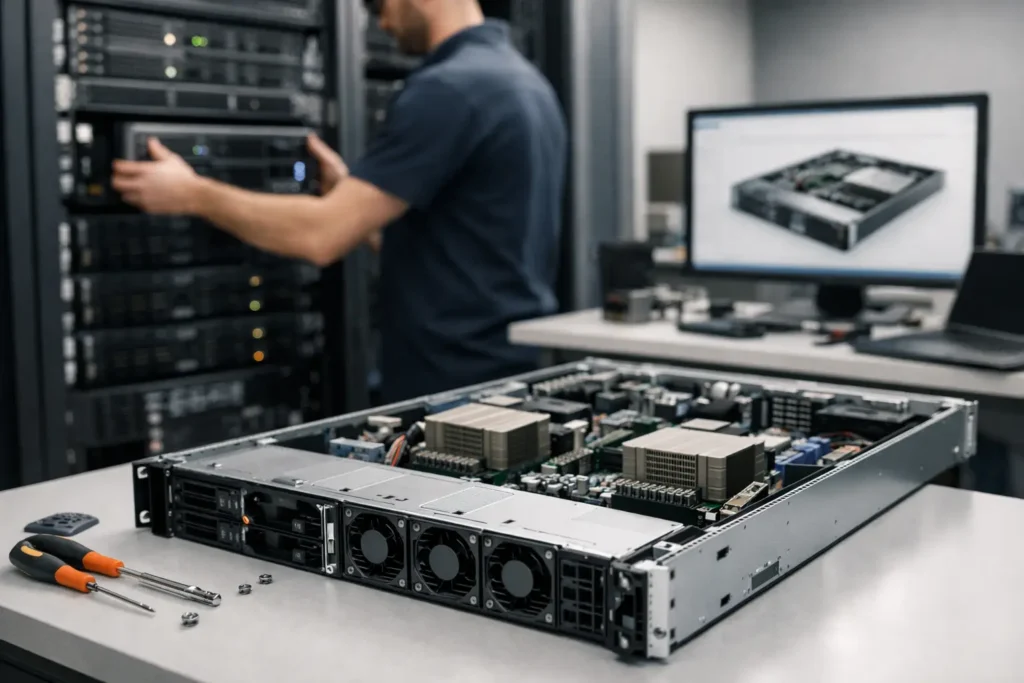
A server that looks right on a spec sheet can still be wrong for the job. That happens when processor cores are chosen without considering the application, storage is sized without a growth plan, or a high-end GPU is installed in a chassis that cannot cool it under sustained load. A custom rackmount server builder starts with the work your team needs to complete, then designs the system around that reality. No guessing, no paying for parts that do not help, and no critical compromises hidden behind a low advertised price.
For a creative studio, research group, IT department, or growing business, a rackmount server is usually more than a piece of equipment. It may host shared project files, run virtual machines, process datasets, support AI workloads, protect backups, or keep an essential application available. The right design has to account for performance, data protection, physical deployment, serviceability, and the people who will rely on it every day.
What a Custom Rackmount Server Builder Should Ask First
The starting point is not a parts list. It is a conversation about workflow. A useful server recommendation depends on what runs on the system, how many people or devices connect to it, where the data comes from, and what happens if the server is unavailable for an hour or a day.
A video team editing from shared storage has different needs than an architecture firm running CAD files, even if both need high capacity. Video workflows may depend heavily on sustained network throughput and fast access to large media files. A CAD environment may place greater importance on file responsiveness, permissions, and backup history. A scientific or AI workload may need more compute density, memory capacity, GPU resources, or accelerated local scratch storage.
It also matters whether the server has one role or several. Combining file storage, backups, virtual machines, and application services in one chassis can make sense for a smaller environment. It can also create a single point of failure or make future maintenance more disruptive. There is no universal answer. The right choice depends on uptime requirements, budget, available rack space, and how quickly the environment is likely to grow.
Software Sets the Hardware Priorities
Many applications have very specific behavior. Some benefit from high clock speeds rather than a large number of processor cores. Others scale well across cores, memory, or GPUs. Some depend on certified hardware or particular operating system versions. A server designed for a database, a rendering queue, virtualization, or network-attached storage should reflect those differences.
This is why a serious builder asks about the actual software, versions, file types, project sizes, and expected number of users. Buying based on generic terms such as powerful or enterprise-grade often leads to systems that are expensive but poorly balanced for the intended workload.
Build the Server Around the Real Bottleneck
Most server problems are not caused by a lack of one headline specification. They are caused by an imbalance. A fast processor cannot overcome slow disks serving dozens of users. Large storage capacity does not help if the network link is saturated. A GPU server can underperform if it lacks enough power delivery, cooling, or PCIe expansion for the configuration.
A custom design examines the complete path from the work being performed to the data being stored and delivered.
Compute, Memory, and Acceleration
Processor selection is about more than core count. Virtual machine hosts may benefit from plentiful cores and memory capacity. Single-thread-sensitive business applications may need faster per-core performance. Engineering, simulation, AI development, and visualization workloads may require GPUs, but the GPU model, quantity, and memory capacity must match the software and the size of the data being processed.
Memory needs deserve the same care. Too little RAM can force applications and virtual machines to rely more heavily on storage, slowing work across the system. Too much memory that will never be used is money that could have supported faster storage, a better network interface, or a stronger backup plan. Error-correcting memory is often a wise choice when data integrity and long-running workloads matter.
Storage Is Capacity, Speed, and Recovery
A server with 100 terabytes of storage is not automatically a better storage server than one with 40 terabytes. The useful question is whether it delivers the right combination of usable capacity, read and write performance, fault tolerance, and recovery options.
For example, a shared media environment may use fast NVMe storage for active projects and larger hard-drive arrays for completed jobs or less frequently accessed assets. A backup system may prioritize capacity, retention, and reliable restore performance over maximum speed. A database or virtualization host may need low-latency solid-state storage and a design that protects against a drive failure without creating a major performance penalty.
Redundancy is valuable, but it is not a backup. RAID or other disk protection can keep a system working after a drive fails. It does not protect against accidental deletion, ransomware, corruption, fire, or an administrator mistake. A server plan should include where backup copies live, how long they are retained, and how restores will be tested.
Networking Must Match the People Using It
A server can only deliver data as quickly as the network allows. If multiple editors are working with high-bitrate footage, a basic network connection can become the limiting factor even when the server storage is fast. On the other hand, installing faster network hardware without reviewing switches, cabling, client workstations, and the broader network design may not improve the experience.
The best approach looks at the environment end to end. That includes network speed, port availability, fiber or copper requirements, remote access needs, and whether traffic for storage, backups, and everyday office use should be separated.
Rackmount Design Is Also a Physical Design
Rack servers have practical constraints that tower systems do not. Chassis depth must fit the rack. Rail compatibility matters. Power draw has to work with the available circuits and power distribution. Airflow direction, fan noise, heat output, and front-to-back service access all affect whether the system is suitable for the location.
A dense GPU configuration may be a strong fit in a dedicated server room but a poor fit in a quiet office closet. A short-depth chassis may be necessary for a shallow wall rack, while a storage-heavy system may need more drive bays and a deeper enclosure. Redundant power supplies can improve availability when separate power paths are available, but they add cost and are less meaningful if both supplies connect to the same unprotected circuit.
Serviceability matters after installation, too. Drive bays, expansion slots, cable layout, labeling, remote management, and access to replacement parts influence how quickly an issue can be addressed. Those details rarely appear in a basic online configurator, yet they matter when a server supports revenue-generating or mission-critical work.
Testing and Support Should Be Part of the Build
A server is not ready simply because it powers on. It should be assembled cleanly, configured according to the intended role, and tested under conditions that reflect how it will be used. That may include storage validation, memory testing, thermal checks, burn-in testing, operating system configuration, driver verification, and confirmation that installed components work together as expected.
This is especially important for complex systems with multiple GPUs, high-capacity storage arrays, specialized network adapters, or software with strict compatibility requirements. Component compatibility on paper is not the same as a system that has been built, checked, and held accountable by a team that understands the application.
Sandia Computers takes this consultative approach seriously, building and testing systems in Albuquerque and providing lifetime free US-based support. For government and education customers, configuration requirements may also include NDAA-compliant options and purchasing considerations that should be addressed before the system is specified.
Plan for Growth Without Buying the Future Twice
A good server should leave room for sensible expansion, but it should not be overloaded with unused capacity just because more sounds better. The goal is to identify likely changes over the next few years: more staff, larger projects, additional virtual machines, rising storage needs, faster client connections, or a new AI or rendering workload.
Expansion options can include open drive bays, available memory slots, PCIe capacity, network upgrades, and a chassis that accommodates additional hardware. Still, each form of headroom has a cost. Sometimes the smarter decision is a focused system now with a clear path to add a second server, separate backup appliance, or dedicated storage tier later.
The right rackmount server should feel less like a gamble and more like a dependable part of your operation. Start with the work, ask clear questions about failure and growth, and choose a builder who will still answer the phone after the equipment is in the rack.