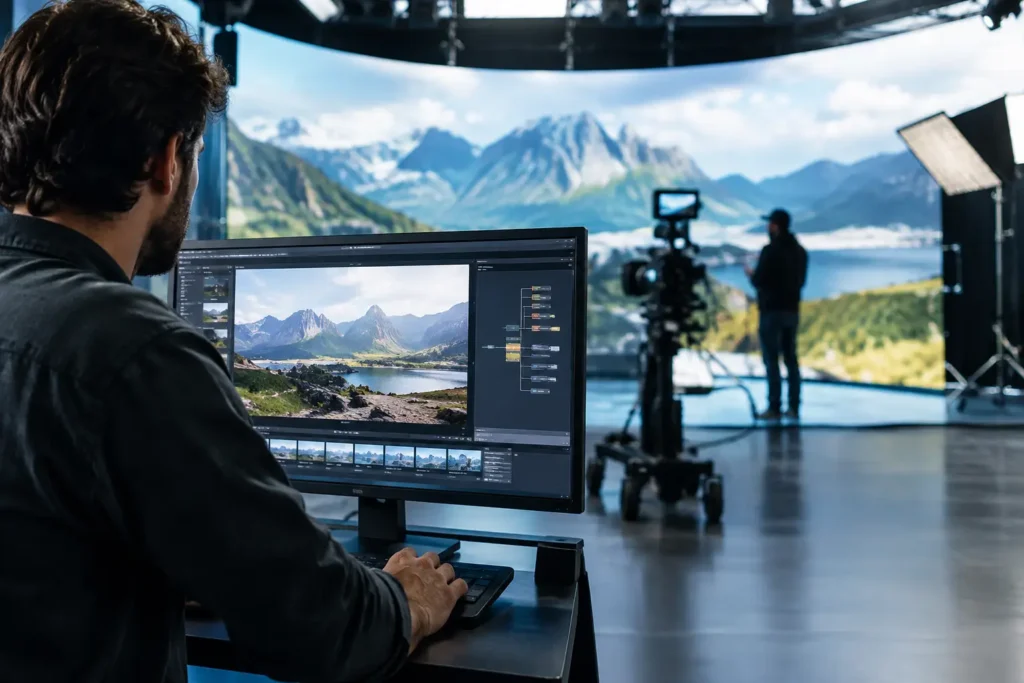
A virtual production stage can look deceptively simple from the outside: a camera, an LED wall, tracking equipment, and a real-time background. Behind that shot is a tightly connected technical workflow where a slow workstation, dropped network packet, mismatched color pipeline, or missed backup can stop a production cold. That is why virtual production trends matter to more than major studios. They are changing how production companies, schools, agencies, and independent creators plan their technology.
The most useful trend is not a single display, graphics card, or software platform. It is the move toward integrated, real-time workflows. Teams are making more creative decisions on set, managing larger volumes of media, and expecting systems to perform reliably under a deadline. No guessing about whether the workstation, storage, and network can keep up.
Virtual Production Trends Moving Work Upstream
For years, many visual decisions happened after principal photography. A scene was shot against a green screen, then composited, lit, adjusted, and rendered later. Virtual production moves much of that work earlier. LED volumes and real-time rendering engines allow a crew to see a digital environment through the camera while shooting.
This does not eliminate post-production. It changes the handoff between departments. The virtual art department, director of photography, editor, colorist, and visual-effects team need better alignment before the shoot begins. Assets must be organized, tested, and available when the stage is live. Camera data, lens settings, tracking information, and color decisions need to travel with the project.
That shift creates a practical hardware requirement: performance cannot be isolated to one machine. A powerful graphics workstation may drive a real-time scene, but it also depends on fast local storage, dependable shared storage, a properly designed network, and a clear backup plan. If any part becomes a bottleneck, the benefit of real-time work starts to disappear.
LED Volumes Are Becoming More Purpose-Built
Large LED stages get the attention, but not every production needs a massive volume. Smaller curved walls, LED backdrops, product-shoot setups, and virtual windows are becoming more common because they solve specific creative problems. They can provide interactive light on a subject, reduce green-screen spill, and give performers and operators a useful reference on set.
The trade-off is that LED workflows demand more planning, not less. Pixel pitch, viewing distance, refresh behavior, camera settings, color calibration, and processing latency all affect the final image. A setup that looks acceptable to the eye may create moire, flicker, or inconsistent color on camera. Testing the entire camera-to-display chain before shoot day is essential.
For the computer system, the question is not simply, “What is the fastest GPU?” It is how many pixels must be rendered, at what frame rate, with what level of scene complexity, and on how many outputs. A single product stage and a multi-panel volume have very different requirements. The correct configuration depends on the actual workload.
Real-Time Rendering Is No Longer a Specialty Skill
Real-time engines have become a regular part of commercial production, corporate video, live events, broadcast graphics, architectural visualization, and training content. That does not mean every project should use a real-time workflow. Building optimized 3D scenes takes time, and a simple practical location may still be the better choice.
Where real-time rendering does fit, teams are using it for faster previsualization, virtual scouting, camera blocking, and client review. A director can assess composition and movement before building a set or traveling to a location. A producer can identify expensive problems earlier, when changes are less disruptive.
This trend places more value on balanced workstations. CPU performance still matters for simulation, asset processing, encoding, and many creative applications. GPU capability matters for viewport responsiveness and final real-time output. Memory capacity matters when scenes, textures, reference media, and multiple applications are open at once. Fast NVMe storage helps keep assets moving, but local speed alone does not solve a disorganized project structure or an overloaded shared network.
Virtual Production Trends Are Raising Storage Expectations
Virtual production produces data before, during, and after the shoot. Teams may be handling high-resolution camera originals, proxy media, 3D geometry, texture libraries, Unreal Engine project files, motion-capture data, takes, renders, and multiple versions of approved assets. The challenge is not just capacity. It is getting the right files to the right people without creating conflicting copies.
Shared storage is increasingly central to the workflow. Editors, virtual-art departments, and producers may all need access to the same project, while render systems or playback machines need reliable media delivery. A basic office network is rarely designed for sustained high-bitrate media work. It may function until several users begin pulling footage and large assets at the same time.
A well-planned storage system considers usable capacity, drive redundancy, cache behavior, network speed, user permissions, and backup retention. It also recognizes that RAID is not a backup. Redundancy can help a system stay online after a drive failure, but it does not protect against accidental deletion, ransomware, corrupted project files, or a site-level disaster.
For smaller teams, the best answer may be a fast production NAS with a disciplined backup system. For larger facilities, it may involve dedicated high-speed network infrastructure, tiered storage, archive capacity, and a separate backup target. The right choice depends on footage formats, team size, retention needs, and how much downtime the organization can tolerate.
Color Management Is Becoming a Production Requirement
When the background is displayed on an LED wall rather than added later, color decisions affect the shoot immediately. The camera, LED processor, display panels, real-time engine, monitoring path, and grading pipeline all need to agree on what the image should look like.
This is why calibrated reference displays and consistent color settings are no longer optional details for many teams. A workstation can render an image correctly while a poorly configured monitor leads the crew to make the wrong creative adjustment. The result may not be obvious until footage reaches post-production.
Color-managed workflows also require clear ownership. Someone needs to document display settings, LUTs, camera profiles, and approved looks. Without that discipline, teams can spend valuable time debating whether an issue comes from the content, the display, the camera, or the viewing environment.
AI Will Assist the Workflow, Not Replace the Crew
AI-assisted tools are appearing across production and post-production, from rotoscoping and cleanup to asset tagging, concept development, transcription, and version search. For virtual production teams, AI can help reduce repetitive work and make large media libraries easier to manage.
The practical consideration is that AI workloads vary widely. Some run well on a local GPU. Others rely on cloud services, which introduces recurring costs, upload time, privacy concerns, and dependence on internet access. Teams working with unreleased campaigns, sensitive research, government projects, or client-confidential media may need to be especially careful about where data is processed and stored.
AI is also not a reason to buy hardware without a defined use case. A system sized for occasional transcription is very different from one intended for local model training, image generation, or large-scale video analysis. Matching the machine to the software and expected workload prevents overspending in the wrong area.
Reliability Is Becoming a Creative Advantage
As more decisions happen live, reliability becomes part of the creative process. A playback machine that crashes, a storage array that slows under load, or a workstation that thermal-throttles during a client session does more than frustrate the technical team. It interrupts talent, delays lighting, and erodes confidence in the schedule.
That is why purpose-built systems should be tested as systems, not just assembled from compatible parts. The operating system, drivers, GPU configuration, storage, networking, application versions, and connected hardware all need to work together. For mission-critical work, spare components, documented settings, remote-access planning, and a clear support path are worth considering before a failure happens.
The best virtual production setup is rarely the one with the longest specification sheet. It is the one that supports the way your team actually shoots, collaborates, stores media, and recovers from problems. Sandia Computers starts with those workflow questions so customers can move forward with a system designed for the job and a team that actually shows up when support is needed.
As virtual production continues to become more accessible, the teams that benefit most will be the ones that treat technology as production infrastructure, not an afterthought. Build around the work, test before the deadline, and leave room for the next project to be more demanding than the last.