
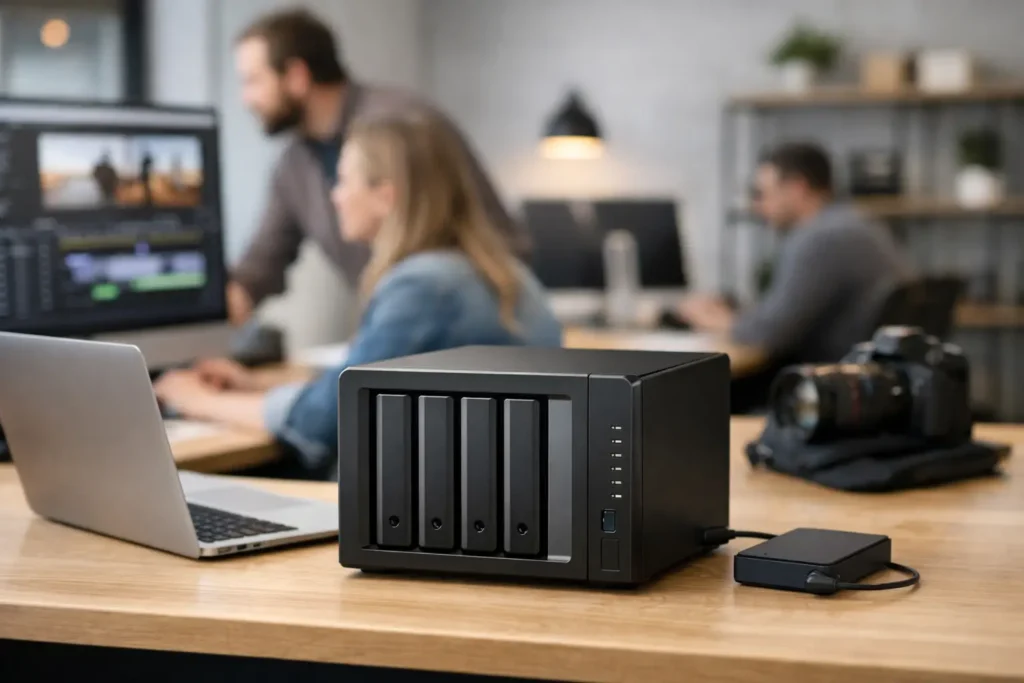
A video editor should not have to copy a project to a portable drive just so another editor can open it. An architecture team should not lose time hunting for the latest drawing. NAS storage solves these everyday problems by putting important files in one shared, protected location that the right people can access from the right systems.
For creative studios, offices, research groups, and growing businesses, a NAS can be much more than a place to store files. Properly designed, it becomes the center of a workflow: a place for active projects, shared media, controlled access, automated backups, and long-term archives. The key is matching the system to how your team actually works rather than choosing hardware based on capacity alone.
What NAS Storage Does Well
NAS stands for network-attached storage. In plain language, it is a dedicated storage system connected to your network. Instead of attaching an external drive to one computer, multiple authorized users can access shared folders over the network.
That distinction matters when files are large, frequently updated, or used by more than one person. A photographer can ingest a shoot to a shared project folder. A production team can organize footage, audio, graphics, and exports in one place. A CAD department can centralize project files with permissions that prevent accidental changes. A business can keep departmental documents available without scattering important work across employee laptops.
A NAS is not automatically the right answer for every file. Local SSD storage is still valuable for applications, cache files, and certain high-speed editing tasks. Cloud storage can be useful for remote collaboration and offsite copies. But a NAS often fills the gap between those options by delivering substantial shared capacity, local-network speed, and direct control over where data lives.
NAS Storage Performance Starts With the Workflow
The question is not simply, “How much storage do we need?” It is also, “How fast does everyone need to work at the same time?” A NAS built for office documents has very different requirements from one serving multiple 4K or 8K video editors.
For lighter shared-file workloads, such as documents, spreadsheets, PDFs, and moderate-resolution images, a standard network connection and hard-drive-based NAS may be entirely appropriate. These systems prioritize capacity, sensible cost, and reliable access.
For video editing, 3D work, high-resolution photography, GIS data, or large scientific datasets, performance needs more careful planning. The network connection between workstations and the NAS can become the limiting factor long before the storage drives are full. A 1 Gigabit network may be adequate for basic access, but 10 Gigabit networking is often the practical starting point for serious media and production environments. Some workflows need faster connections, especially when several people are reading large files at once.
The drives inside the NAS matter too. Traditional hard drives offer high capacity at a reasonable cost and work well for many shared-storage and archive needs. SSDs offer much lower latency and faster performance, but their cost per terabyte is higher. A hybrid approach can make sense: high-capacity hard drives for primary data, plus SSD cache or dedicated SSD volumes for demanding projects and frequently accessed files.
The software in use should guide the design. Editing compressed 4K footage is not the same as editing multicamera RAW video. Working with large Photoshop files is not the same as serving hundreds of thousands of small files to a technical department. There is no honest one-size-fits-all NAS recommendation because file type, project size, user count, and network design all affect the result.
Capacity Planning Is About More Than Terabytes
It is easy to buy enough capacity for the files you have right now and discover a year later that the NAS is nearly full. Good planning accounts for current data, annual growth, active-project space, archives, and the capacity lost to drive protection.
For example, a team with 40 TB of current production data may need considerably more than 40 TB of usable storage. Active projects grow. Render files and transcodes take space. Keeping prior versions and snapshots consumes capacity. If the system uses redundant drives to protect against a drive failure, not every installed terabyte is available for files.
Drive bays also affect future options. A four-bay NAS can be a sensible fit for a small team with moderate growth. A larger chassis can provide more capacity, better performance options, and an easier path to expand without replacing the entire system. The best choice depends on budget, physical space, expected growth, and how disruptive an eventual migration would be.
Avoid treating the advertised capacity of a drive as the whole plan. Usable capacity, redundancy, expansion, and backup requirements are the numbers that matter.
RAID Helps Availability, but It Is Not a Backup
This is one of the most expensive misunderstandings in storage. RAID uses multiple drives in a configuration designed to keep a NAS operating after a drive failure, depending on the selected level. That is valuable protection, but RAID does not create an independent backup.
If someone deletes a folder, ransomware encrypts shared files, a power event damages equipment, or the NAS itself is stolen or damaged, RAID alone may not save the data. A dependable storage plan includes separate copies stored independently from the primary NAS.
For many organizations, that means keeping a local backup for quick recovery and an offsite copy for disaster recovery. Snapshots can also help recover earlier versions of files after accidental deletion or unwanted changes. An uninterruptible power supply can protect the NAS from sudden shutdowns and provide time for a controlled shutdown during an outage.
The right backup approach depends on how much data changes each day and how quickly operations need to resume after a problem. A small office may accept overnight backup windows. A live-production or post-production team may need faster recovery and more frequent protection. The goal is not to buy every feature available. It is to decide what downtime and data loss would actually cost your organization.
Shared Access Needs Clear Rules
A NAS makes collaboration easier, but only when folder structure and permissions are planned. Everyone should not automatically have access to every folder, and temporary users should not receive permanent administrative access.
Set up project folders around the way work moves through your organization. Use clear naming standards. Separate active work from completed work and archives. Give team members access based on their roles, while limiting the ability to delete or alter sensitive data. This reduces confusion and helps protect files from accidents.
Remote access also deserves attention. Many teams need to reach files from home, a job site, or a second office. That can be useful, but it should be configured with security in mind, including strong credentials, multi-factor authentication where available, user-level permissions, and a deliberate remote-access method. Convenience should not mean exposing business data to unnecessary risk.
When a NAS Is the Right Fit
NAS storage is especially useful when multiple people need current access to shared files, when projects are too large for individual workstation drives, or when a business needs more control than consumer cloud storage provides. It is often a strong fit for video and audio production, photography studios, CAD and architecture teams, small business file sharing, research data, and departments with growing backup needs.
It may not be the only storage solution you need. A high-performance workstation may still need local NVMe storage for scratch disks, active caches, and applications. A remote-first organization may need a cloud component. A large organization with extensive concurrent editing may require dedicated shared storage designed for higher throughput. Good infrastructure combines the right tools instead of forcing one device to do every job.
That is why Sandia Computers begins with the workload: how many users need access, what applications are involved, what files are being created, where data must be available, and what happens if a drive or system fails. From there, the storage, network, backup, and workstation pieces can be designed to work together and tested before they reach your team.
Before purchasing a NAS, gather a sample of your real project data and write down how people access it during a normal busy week. That simple exercise turns a vague storage purchase into a clear conversation about capacity, performance, protection, and the time your team needs to get its work done.