
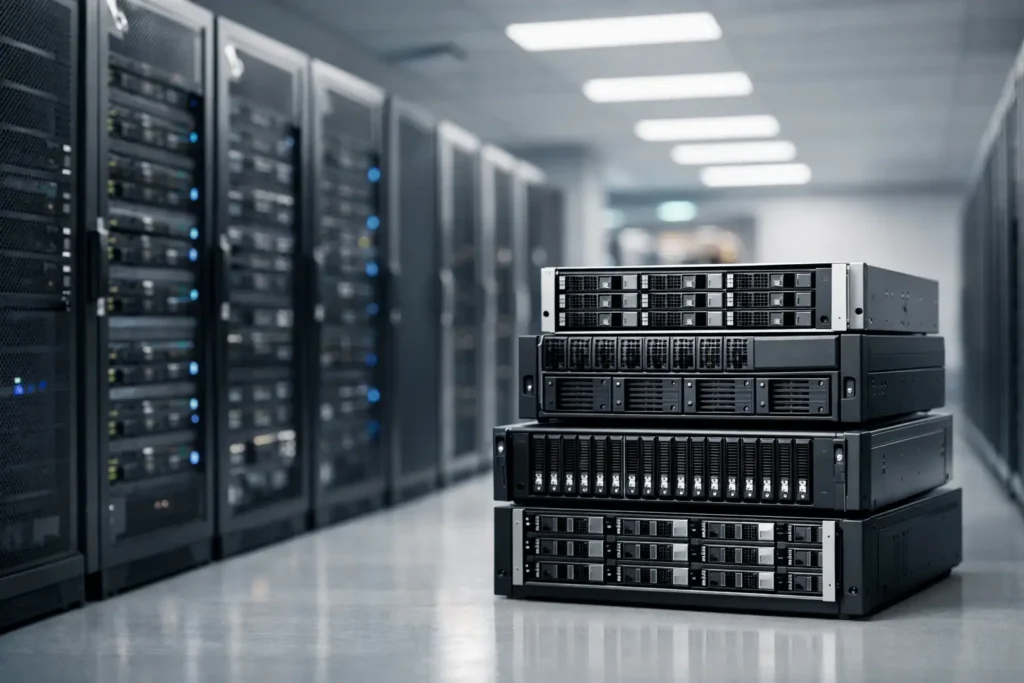
A full media drive is not just an inconvenience when your work depends on it. It can halt an edit, delay a render, force a rushed archive decision, or leave a team unsure which version of a project is current. Large data storage infrastructure solves that problem when it is planned around how your people actually create, process, share, and protect data.
For a video team, that may mean multiple editors working from shared high-resolution footage. For an architecture firm, it may mean keeping active CAD files responsive while preserving years of project records. For a research group, it may mean storing large datasets without making analysis jobs wait on slow disks. The hardware matters, but the right answer begins with the workflow.
Planning Large Data Storage Infrastructure
Storage capacity is usually the first number people ask about. It is rarely the only number that matters. A 200TB system can still feel painfully slow if its network connection cannot keep pace with the people using it. It can also create a false sense of security if all of that capacity lives in one location without a tested backup plan.
Start by separating your data into three practical categories: active work, nearline projects, and archive. Active work needs the fastest access because it is being edited, rendered, analyzed, or revised every day. Nearline projects need to remain available but may not need the same performance. Archive data must be retained reliably, even if it is accessed only occasionally.
This distinction prevents a common and expensive mistake: buying premium performance for every file, including material that will sit untouched for years. It also prevents the opposite mistake of putting current projects on inexpensive storage that slows down the work generating your revenue.
Capacity planning needs room for growth as well as usable working space. Storage systems should not be filled to the edge. Performance, management, and recovery all become harder when every volume is nearly full. A team adding 10TB of footage each month has different needs than one receiving a 50TB photogrammetry dataset a few times a year. Looking at both normal growth and unusually large projects produces a more useful design.
Performance Is More Than Drive Speed
A storage appliance is part of a larger path between data and the people or systems using it. That path includes the storage drives, processor and memory, network interface, switch, cabling, workstations, and the applications opening the files. One weak point can limit the whole experience.
For example, a fast all-flash array may be appropriate for databases, busy virtual machines, or shared editing workflows with many simultaneous users. But if every workstation connects through 1GbE networking, the team will not see the benefit expected from that investment. In many creative and technical environments, 10GbE is a sensible starting point. Higher-speed networking can make sense for dense teams, uncompressed video, scientific data pipelines, or systems feeding multiple render and compute nodes.
File type also changes the recommendation. Large sequential video files behave differently from thousands of small engineering files. AI development may need high throughput to feed training data, while GIS and research workloads can combine large files with demanding metadata operations. There is no single drive count, network speed, or storage protocol that serves every environment well.
That is why a discussion should include the software in use, project sizes, number of concurrent users, expected transfer times, and whether workstations need to edit directly from shared storage. No guessing is required when the workload is clear.
HDD, SSD, and Hybrid Storage
Hard disk drives remain useful for high-capacity storage, backup targets, and archives because they provide substantial space at a manageable cost per terabyte. They can also support shared active storage in the right configuration, particularly for teams working with less demanding formats or fewer simultaneous users.
SSDs deliver much lower latency and substantially better performance for workloads that need quick access to many files or high sustained throughput. Their cost per terabyte is higher, so an all-flash design is not automatically the best value. A hybrid approach can make sense when frequently accessed data benefits from flash while larger, less active data stays on hard drives.
The goal is not to choose the most impressive specification. It is to avoid paying for speed your workflow cannot use while ensuring the system does not become the bottleneck six months after deployment.
Redundancy Helps, but It Is Not a Backup
RAID and similar redundancy methods are valuable because they can keep a system operating after a drive failure. That protects availability, not every form of data loss. Accidental deletion, file corruption, ransomware, fire, theft, controller failure, and a site-wide disaster can still affect the primary storage system.
A workable protection strategy keeps more than one copy of important data and separates at least one copy from the main system. The exact approach depends on recovery requirements. A small production company may need a local backup appliance for fast restores plus a second encrypted copy stored offsite. A government department or research organization may need defined retention periods, access controls, verification procedures, and documented recovery objectives.
Ask two straightforward questions: How much work can we afford to lose, and how long can we afford to be down? The first answer defines the recovery point objective. The second defines the recovery time objective. A system designed to restore last night’s files in several hours is very different from one that must restore changes from the last hour and return to operation quickly.
Backups should also be tested. A backup job marked successful does not prove that a project, database, or virtual machine can be restored when needed. Periodic restore testing turns a backup plan into something the organization can trust.
Build for People, Permissions, and Daily Administration
The best large storage system is one your team can use without creating confusion. Clear shared folders, consistent project naming, and sensible access permissions reduce accidental overwrites and keep sensitive material available only to the right people.
Permissions should follow job responsibilities rather than convenience. Editors may need full access to active projects, while clients, interns, or outside collaborators may need read-only access to specific folders. Administrators need visibility into capacity, drive health, backup status, and user activity, but not every user needs administrative control.
Remote access deserves the same careful planning. Sending large files across the public internet can be slow, and exposing a storage system directly to the internet creates unnecessary risk. Depending on the organization, secure remote access may involve a VPN, managed file synchronization, carefully controlled collaboration tools, or an offsite copy designed for distribution. The right method depends on file size, security requirements, and how often people need remote access.
When a Prebuilt Storage Box Is Not Enough
An off-the-shelf NAS can be a good fit for simple file sharing and basic backups. The trouble starts when the organization has demanding performance needs, specialized software, strict compliance requirements, unusual networking, or a mix of active production and long-term retention.
Consider a custom-designed solution when several people need to work from the same high-resolution media, when a compute cluster needs dependable data access, when storage must integrate with existing servers and backup systems, or when downtime carries real financial or operational consequences. Education, government, and regulated environments may also need hardware options that meet procurement or compliance standards.
At that point, the value is not just in the storage chassis. It is in validating the drives, network configuration, operating environment, backup approach, and client systems together. A storage system should arrive ready to support the work, not as another complex project for your staff to solve alone.
Sandia Computers approaches storage planning this way: by learning the applications, data volumes, users, and recovery needs before recommending hardware. Systems are built and tested in Albuquerque, with plain-language guidance and US-based support available after deployment.
A Better Starting Point for Your Next Storage Decision
Before comparing models or drive prices, gather a few real numbers from your environment: current usable capacity, monthly growth, largest project size, number of simultaneous users, connection speeds, backup windows, and acceptable downtime. Those details make a conversation productive quickly.
Then think beyond the next purchase. Your storage should give the team room to take on larger work, protect what has already been created, and recover without panic when hardware eventually fails. That is the kind of infrastructure that lets people focus on the work in front of them.