
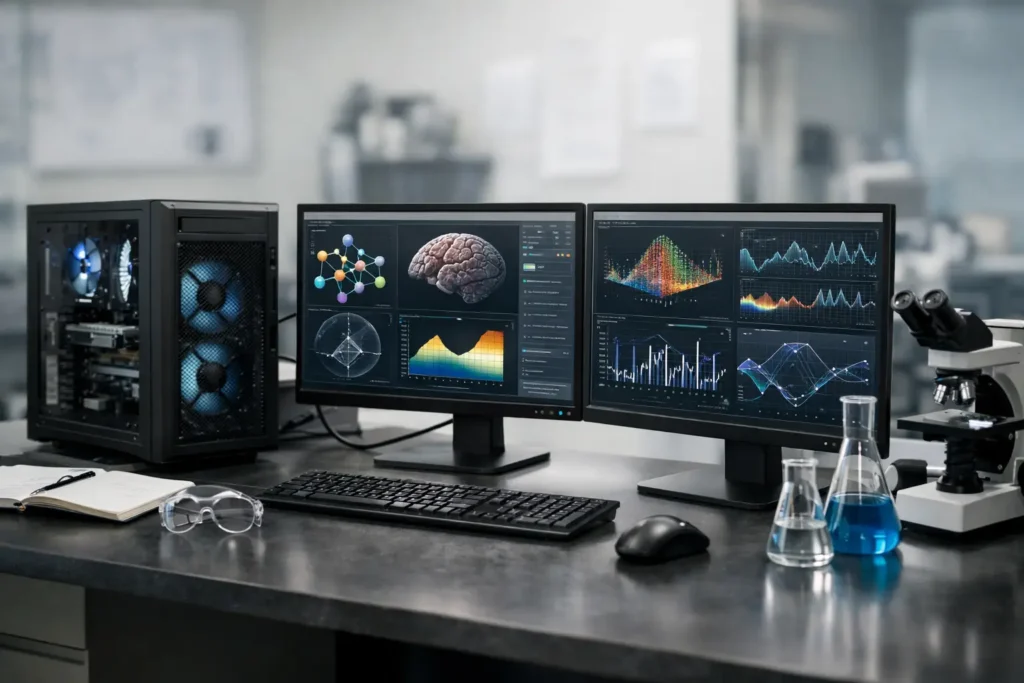
A simulation that runs for three days, a microscope pipeline that processes thousands of images, or a model that exhausts GPU memory is not a typical desktop workload. Scientific computing workstation specs must be chosen around the work itself: the applications you run, the size of your datasets, how long jobs run, and what happens when a result needs to be reproduced.
The right machine is rarely the one with the largest number printed beside a single component. A fast processor can still wait on insufficient memory. A powerful GPU can sit idle if the software is CPU-bound. Fast local storage can help, but it cannot replace a sound data-management plan. No guessing means asking the workflow questions first, then selecting parts that work together.
Start With the Research Workflow, Not a Parts List
“Scientific computing” covers very different jobs. Computational fluid dynamics, finite element analysis, molecular modeling, geospatial processing, bioinformatics, MATLAB analysis, Python development, image reconstruction, and machine learning all place different demands on a workstation.
Before setting a budget, identify the primary application and version, operating system requirements, typical and maximum dataset size, and whether the workload is interactive or runs unattended overnight. Also consider where the data lives. A workstation connected to a high-speed NAS has different storage needs than a system that must hold active projects locally.
It also helps to define the bottleneck you are trying to remove. If calculations take hours while processor utilization stays high, CPU performance and memory bandwidth may matter most. If visualizations lag or CUDA-enabled code is slow, the GPU deserves closer attention. If a job fails when data grows, memory capacity is often the first place to look.
For many research groups, there is another practical question: will the system be a personal analysis workstation, a shared departmental resource, or a development system that prepares jobs for a larger cluster? Each role calls for a different balance of performance, expansion, security, and remote-access capability.
Scientific Computing Workstation Specs That Matter Most
CPU: Match Cores to the Software License and Scaling
Processor selection is more complicated than simply buying the highest core count available. Some engineering and scientific applications use only a few cores effectively. Others scale well across dozens of cores. Some license software by core count, which can make an oversized processor expensive to operate without delivering proportional gains.
For lightly threaded analysis, coding, data preparation, and interactive work, prioritize strong per-core performance. For well-parallelized simulation, rendering, compilation, or batch processing, more cores can reduce turnaround time substantially. Many mixed workflows benefit from a balanced professional CPU platform that provides both capable individual cores and enough cores for parallel jobs.
Clock speed still matters, but sustained performance matters more. A workstation should maintain dependable output during long calculations rather than look impressive during a short benchmark. Proper cooling, a quality power supply, and a chassis designed for continuous use are part of CPU performance, not optional extras.
Memory: Capacity Prevents Expensive Slowdowns
RAM is often the quiet limiter in scientific work. When a dataset, model, or analysis exceeds available memory, the operating system begins relying heavily on storage. Even a fast SSD is dramatically slower than RAM, and performance can collapse during a large solve or data-processing task.
A sensible starting point depends on the workload, but capacity should be planned with room for real-world growth. A user analyzing modest spreadsheets and scripts may work comfortably with 32GB or 64GB. Large GIS projects, image stacks, finite element models, and multi-application workflows often justify 128GB or more. For especially memory-intensive modeling, genomics, in-memory databases, and large-scale preprocessing, several hundred gigabytes may be appropriate.
Error-correcting memory can also be worthwhile for long-running, mission-critical calculations. ECC memory is not necessary for every desktop, but it adds protection against certain memory errors and is a smart consideration when a system runs for days, supports shared research, or produces results that are costly to repeat.
GPU: Essential for Some Workflows, Unnecessary for Others
A GPU is not automatically the most important component in a scientific workstation. Its value depends entirely on whether your applications and libraries use GPU acceleration. CUDA-enabled AI frameworks, certain molecular dynamics packages, GPU-accelerated solvers, visualization tools, and image-processing workflows can benefit greatly. Other programs remain primarily CPU-based.
When GPU acceleration is supported, video memory capacity matters as much as raw compute capability. A model or dataset that does not fit in GPU memory may fail, require reduced batch sizes, or fall back to a slower approach. For AI development, advanced visualization, or GPU computing, select a GPU based on the memory your largest expected job needs, then leave practical headroom.
Professional GPUs may offer advantages in memory capacity, certified application support, display connectivity, and reliability features. High-end consumer GPUs can be an excellent value for many CUDA workloads. The right choice depends on the software vendor’s guidance, precision requirements, driver expectations, and budget. This is one area where a workstation designed for a specific application is safer than a generic “AI PC” label.
Storage: Separate Speed, Capacity, and Protection
Scientific data tends to grow faster than expected. A practical workstation usually benefits from at least two storage tiers: a fast NVMe SSD for the operating system, applications, scratch space, and active projects; plus higher-capacity storage or network storage for data that must remain accessible over time.
Scratch files can be large and write-intensive, particularly in simulation, microscopy, photogrammetry, and video-adjacent research workflows. Keeping scratch activity on a dedicated fast drive prevents it from competing with the operating system and project files. For data that cannot be recreated easily, storage redundancy and backup matter more than raw capacity.
RAID can improve availability in the right configuration, but it is not a backup. A deleted file, ransomware event, or corrupted project can affect every drive in an array. Research teams should plan for local recovery, protected backup copies, and a clear process for moving completed work off the workstation.
Connectivity and Expansion Are Part of the Design
A workstation often becomes the center of a larger environment. It may need 10GbE or faster networking for a NAS, multiple monitors for visualization, high-speed external storage, specialized data-acquisition hardware, or room for additional GPUs and expansion cards.
These requirements affect the motherboard, PCIe lane availability, power supply capacity, chassis airflow, and physical space. A configuration that looks adequate on paper can become restrictive when a second GPU, high-speed network card, or capture device must be added later. Planning expansion before the build helps avoid replacing a system earlier than necessary.
Remote access is another consideration for labs and distributed teams. If researchers need to run jobs or access visualization tools from another location, the system should be designed with the right networking, security practices, and management approach from the start.
Reliability Is a Performance Feature
For a workstation that supports research, a blue-screen crash or intermittent hardware issue is more than an inconvenience. It can interrupt an experiment, waste compute time, delay a deadline, or cast doubt on a result. Component compatibility, thermal design, burn-in testing, stable drivers, and clean operating-system configuration all contribute to dependable computing.
That is why the lowest component price is not always the lowest total cost. A machine that saves a few dollars but requires days of troubleshooting costs far more when it is attached to a grant deadline, production schedule, or critical analysis pipeline.
Sandia Computers approaches scientific systems by first understanding the software, data, and performance target, then building and testing the configuration around that use case. That process helps separate useful upgrades from expensive specifications that will not improve your work.
When a Workstation Is Not the Whole Answer
There are limits to what one desk-side system should do. If workloads need hundreds of CPU cores, multiple high-memory GPUs, or continuous processing for many users, a server, compute cluster, or cloud environment may be the better execution platform. A well-configured workstation can still be valuable for development, visualization, preprocessing, and local testing before larger jobs are submitted elsewhere.
Likewise, researchers working with regulated information or sensitive data may need requirements beyond performance: encryption, access controls, approved components, documentation, and procurement standards. Government and education environments should account for those needs early rather than treating them as a late-stage add-on.
The most useful specification is the one that shortens the wait between question and answer without creating new problems around heat, noise, storage, support, or budget. Bring the application names, sample dataset sizes, and future plans to the conversation. Those details are what turn a workstation purchase into a system that is done right the first time.